Store Category
QBCore Only
Scripts bult for the QBCore Framework
4 scripts
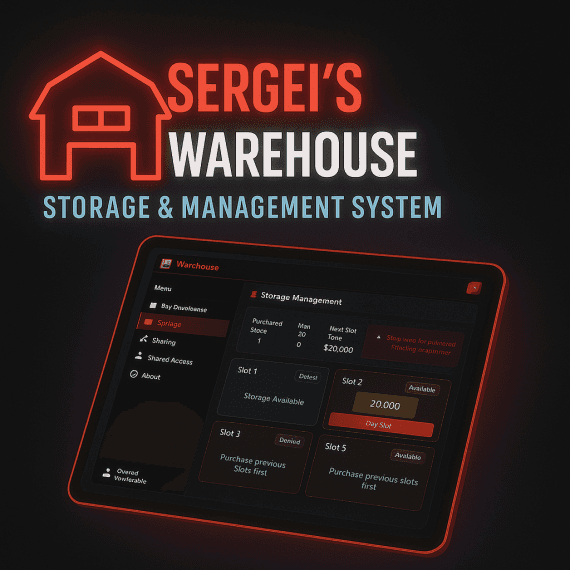
🚚 Sergei's Warehouse System – Advanced Storage & SharingCheck the video out here✨ Key Features🏢 Player-Owned Warehouses – Buy, upgrade, and expand up to 6 storage slots.🔐 Sharing System – Grant access to crew, friends, or partners with full permission controls.🎨 Modern UI – Clean, responsive NUI.🏪 Multiple Locations – Warehouses placed across the map with blips & markers.📥 What You Will Receive📦 Encrypted Core Files – Client & server logic, UI, and core functionality (escrow protected).📦 Unencrypted Files – Configuration File, Manifest, SQL Schema, all editable.⚙️ Open Configuration Files – config.lua for prices, locations, and settings, plus fxmanifest.lua.🗄️ SQL Schema – Database structure ready to import for instant setup.📘 Documentation & Setup Guide – Script Documentation🖼️ Media Previews – Screenshots and UI previews showcasing features in-game.🛠️ Support & Updates – Access to fixes, improvements, and ongoing script updates.🔧 Technical Details✅ QBCore Support – Seamless integration.✅ Inventory Systems – Supports ox_inventory & qb-inventory.✅ Target Systems – Compatible with ox_target & qb-target.✅ Database Optimized – Fast queries, audit logging, and secure storage.💼 Perfect ForCriminal crews needing shared storageBusinesses & traders running joint operationsSolo players expanding personal storage📦 Package IncludesEncrypted core files (client/server logic, UI)Open config files for easy customizationSQL schema + setup guidesFull support🚀 Easy SetupImport SQL schemaConfigure config.luaAdd to server.cfgRestart & go!💡 Why Choose Sergei’s Warehouse?Lightweight & optimized for performanceSecure, permission-based storageProfessional design with ongoing updatesEscrow protected + buyer-friendly customizationPreview Images: Simple Explanation.In game a user will visit one of the pre-defined warehouse locations:They will purchase the Warehouse for a price that you set in Config.luaIn the UI they can then Share the warehouse access to nearby players.The player will go to the warehouse entrance location and press [E] to enter.This will prompt them with a list of Warehouses they have access to (either owned or Shared).Once the warehouse is selected they will transport inside, where they will see their purchased crates and use them to store items.Sergei's Scripts YoutubeScript Documentation
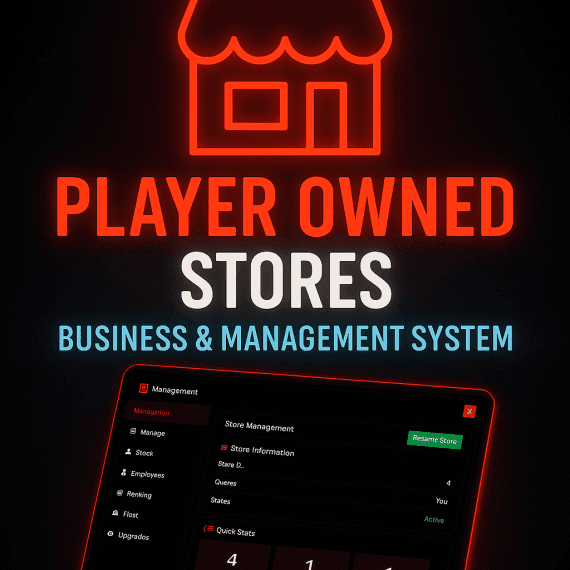
🏪 Player Owned Stores – Business & Management SystemBring your economy to life with Player Owned Stores, a fully interactive business management system designed for FiveM servers. Give your players the power to own, stock, and manage their very own stores — turning roleplay into real business!Check it out here🔑 Features✅ Store Ownership – Players can purchase and operate stores across the map.✅ Stock System – Owners can purchase stock, manage inventory, and keep shelves filled. No stock = no sales, making supply chains a key part of the economy.✅ Management Panel – Sleek, tablet-style UI for managing stock, employees, vehicles, and finances.✅ Quick Stats – Track items, employees, and vehicles at a glance.✅ Renaming System – Store owners can brand their business with a custom name.✅ Transfer / Sell Options – Easily transfer ownership to another player or sell back for a refund.✅ Employee System – Hire and manage employees to help run the business.✅ Fleet Management – Manage delivery or service vehicles linked to the store.✅ Fully Optimized – Lightweight and smooth performance for roleplay servers.📦 Stock & SupplyStore owners must buy and manage stock to keep their business running.Dynamic inventory system encourages player-driven supply chains.Stock out? Players will need to restock before they can sell again, adding depth to the economy.🎮 Why Choose This Script?Player Owned Stores add true economic depth to your server. Instead of NPCs running shops, your community gets to create, expand, and compete with one another — fueling interaction and roleplay opportunities.Whether it’s a small 24/7, a clothing shop, or a larger business, your players will feel the real ownership experience with tools to manage every aspect of their store, including stock, staff, and strategy, fully expandable for any type of store.📦 What’s Included🏪 Core FeaturesPlayer-Owned Stores: Complete store ownership system with purchase mechanicsStock Management: Full inventory system with stock levels and pricingEmployee Management: Hire and manage store employees with role permissionsBanking System: Integrated banking for store profits and transactionsFleet Management: Vehicle spawning and management for store operations🎯 Compatibility & Auto-DetectionDual Target Support: Automatic detection of ox_target or qb-targetDual Inventory Support: Auto-detection of ox_inventory or qb-inventoryFramework Ready: Built specifically for QBCore framework🗄️ Technical FeaturesDatabase Integration: MySQL persistence with oxmysqlNUI Interface: Clean web-based UI for store managementConfigurable Locations: Easy-to-modify store locations and settingsPermission System: Granular permission levels (Employee, Manager, Owner)📁 File StructureServer Scripts: Protected core business logicClient Scripts: Optimized client-side functionalityUI Files: Responsive HTML/CSS/JavaScript interfaceConfiguration: Fully customizable config.luaSQL Schema: Ready-to-use database structure🚀 Additional FeaturesStock Orders: Automated stock replenishment systemNotifications: Comprehensive notification systemMission System: Stock delivery missions for employeesLB-Phone Text Notifications when Store is emptyPreview Images:
![[QB-Core] LB-Tablet DOJ Application](/_next/image?url=https%3A%2F%2Fdunb17ur4ymx4.cloudfront.net%2Fpackages%2Fimages%2F0cfbdf8d0319122cf3fef458da1ca839f478711d.png&w=3840&q=75)
🏛️ Department of Justice Management System A comprehensive, professional Department of Justice (DOJ) management system for QBCore servers. Manage court dockets, case files, marriages, divorces, name changes, and more with a beautiful, modern React-based interface. ✨ Key Features 📋 Court Docket Management - Schedule and manage court hearings with calendar view 📁 Case Files System - Create and manage legal case files with full documentation 💍 Marriages & Divorces - Officiate marriages and process divorces with full record keeping ✏️ Name Changes - Process legal name changes with approval workflow 👥 Profile Integration - View player profiles, vehicles, warrants, and charges 🚗 Vehicle Management - Search and view vehicle details, ownership, and associated cases 🔐 Permission System - Granular job and grade-based permissions for each page 📊 Dashboard - Overview of cases, warrants, bulletins, and active units 🎨 Modern UI/UX Built with React and Tailwind CSS, the interface is modern, responsive, and intuitive. Features include: Clean, professional design Fast and responsive Search functionality across all modules Calendar view for court dockets Real-time data updates ⚙️ Requirements Required Dependencies: qb-core oxmysql lb-tablet 📦 What's Included Fully functional DOJ system Complete database schema (SQL file) Migration scripts for upgrades Comprehensive configuration file Installation guide Escrowed client & server files (config remains editable) 🔧 Easy Installation Run the provided SQL file to create database tables Run npm install and npm run build in the web folder Configure jobs and permissions in shared/config.lua Start the resource - that's it! 🛡️ Security Client and server files are escrowed for protection, while the configuration file remains fully editable so you can customize permissions, jobs, and settings to your needs. 📞 Support Need help? Join our Discord server for support, updates, and community assistance. Check the installation guide included with your purchase for detailed setup instructions. ✅ Ready to use out of the box - No complex setup required. Follow the installation guide and you'll be up and running in minutes! 💡 Perfect for: Roleplay servers looking for a professional, feature-rich DOJ system that integrates seamlessly with QBCore and lb-tablet.
Blackout + Halloween Weather Control for QBCore Bring instant spooky vibes to your city. This admin-controlled script toggles a full citywide blackout and activates the Halloween weather theme built into QBCore—perfect for Halloween nights, purge events, emergencies, and any atmospheric roleplay.Check the video out hereHighlightsOne-command activation: /blackoutonInstant restore: /blackoutoffCreepy ambience: moon appears, green sky, rolling fogServer-wide power cut: streetlights & building lights go darkBuilt for QBCore and admin-run eventsLightweight & simple: zero config required to startCommands/blackouton — Enables blackout mode and Halloween weather./blackoutoff — Disables blackout mode and restores normal conditions.Best ForHalloween eventsPurge-style scenariosEmergency drillsCinematic server momentsRequirementsFiveM serverQBCore framework installedAdmin permission to use the commandsWhat You’ll ReceiveWhen you download this resource, you’ll get the following files:client.lua — Client-side effects (open source)config.lua — Configuration options (open source)fxmanifest.lua — Manifest file (open source)README.md — Documentation (open source)INSTALLATION.md — Setup guide (open source)server.lua — Core functionality (escrow protected)Installation (Quick Start)Drop the script folder into your resources directory.Add ensure <resource-name> to your server.cfg.Restart the server or run ensure <resource-name> from console.Use the commands in-game.Tip: Most players won’t want this weather all the time—this script is designed for short, admin-controlled events.